
 Akshay Pushparaj
4a2b182a3b
Akshay Pushparaj
4a2b182a3b
|
2 years ago | |
|---|---|---|
| image | 2 years ago | |
| keymaps/default | 2 years ago | |
| config.h | 2 years ago | |
| info.json | 2 years ago | |
| readme.md | 2 years ago | |
| rules.mk | 2 years ago | |
readme.md
Whynot right keyboard
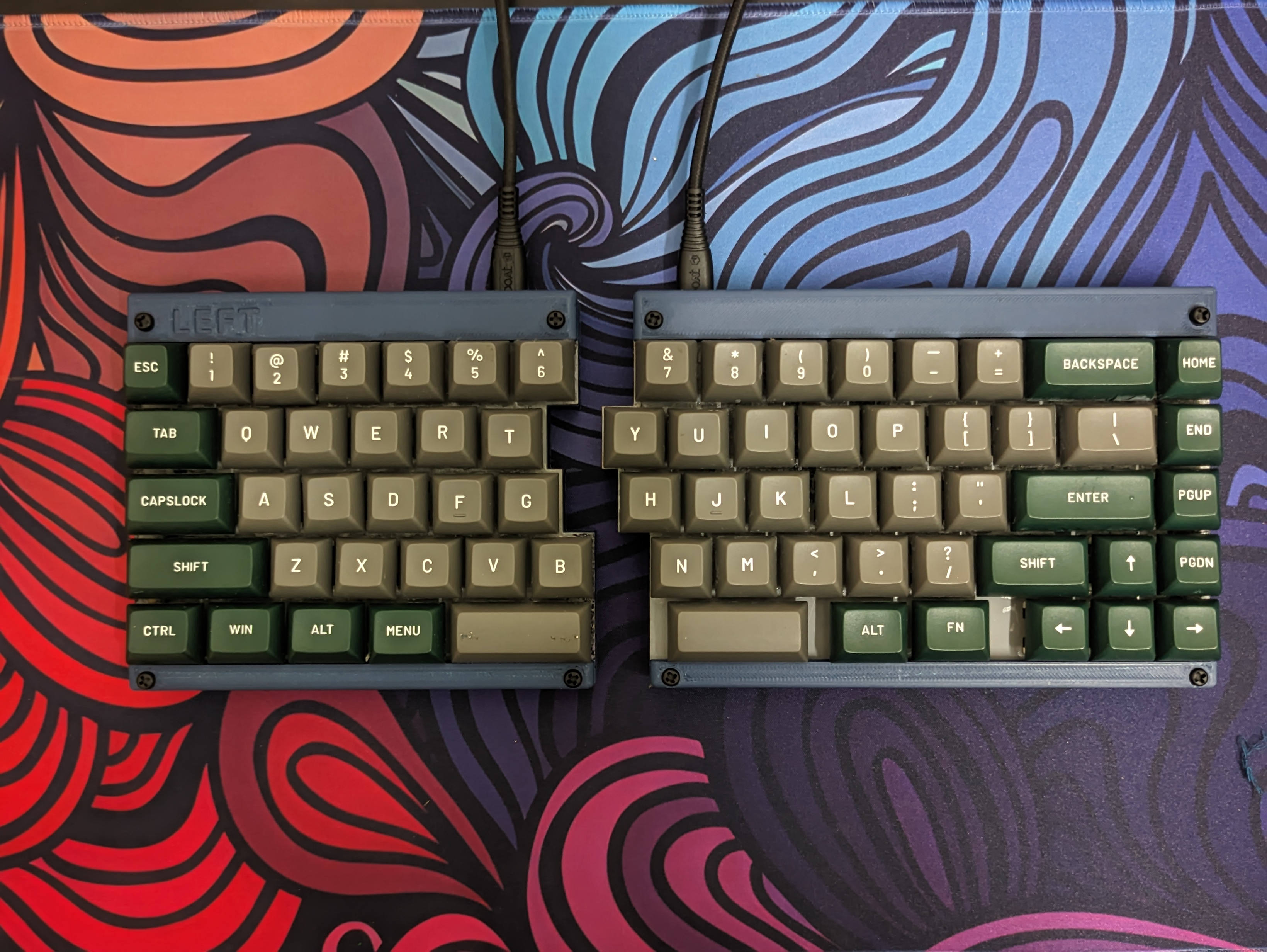 Whynot Right is the right half of a split mechanical keyboard featuring a TS65 design. It has 65 keys in total and was meticulously handwired. The keyboard case, designed by Fardog, includes a laser-cut MDF plate, with the base and top sections crafted using 3D printing.
- Keyboard Maintainer: akshay
- Hardware Supported: RP2040
- Hardware Availability: Robu.in
- Design: TS65 keyboard case by fardog
- Keycaps: Sikakeyb Doubleshot PBT keycaps
- Key Switches: GatreonG Pro 2.0 Switch
- Diode: IN4148
Make example for this keyboard (after setting up your build environment):
make whynot_r:default
Flashing example for this keyboard:
make whynot_r:default:flash
See the build environment setup and the make instructions for more information. Brand new to QMK? Start with our Complete Newbs Guide.
Bootloader
Enter the bootloader in 3 ways:
- Bootmagic reset: Hold down the key at (0,0) in the matrix (usually the top left key or Escape) and plug in the keyboard
- Physical reset button: Briefly press the button on the back of the PCB - some may have pads you must short instead
- Keycode in layout: Press the key mapped to
QK_BOOTif it is available
Usecase
As i have not yet configured split keyboard functionality with QMK, it works as two seperate keyboards. From my reading of QMK, it has its limitationts when it comes to bluetooth, hence it is a wired split keyboard. So, i mounted the keyboard to an arm rest with magnetic sheets so that it can be mounted on the table or your chair.
-
The first step is to cut the sheet so that it can be glued to the armrest. I used GIMP to trace an image of the armrest and used a CNC router to cut the sheet in desired dimensions.