
You can not select more than 25 topics
Topics must start with a letter or number, can include dashes ('-') and can be up to 35 characters long.
 Akshay Pushparaj
8337cfe859
Akshay Pushparaj
8337cfe859
|
2 years ago | |
|---|---|---|
| image | 2 years ago | |
| keymaps/default | 2 years ago | |
| config.h | 2 years ago | |
| info.json | 2 years ago | |
| readme.md | 2 years ago | |
| rules.mk | 2 years ago | |
readme.md
Whynot right keyboard
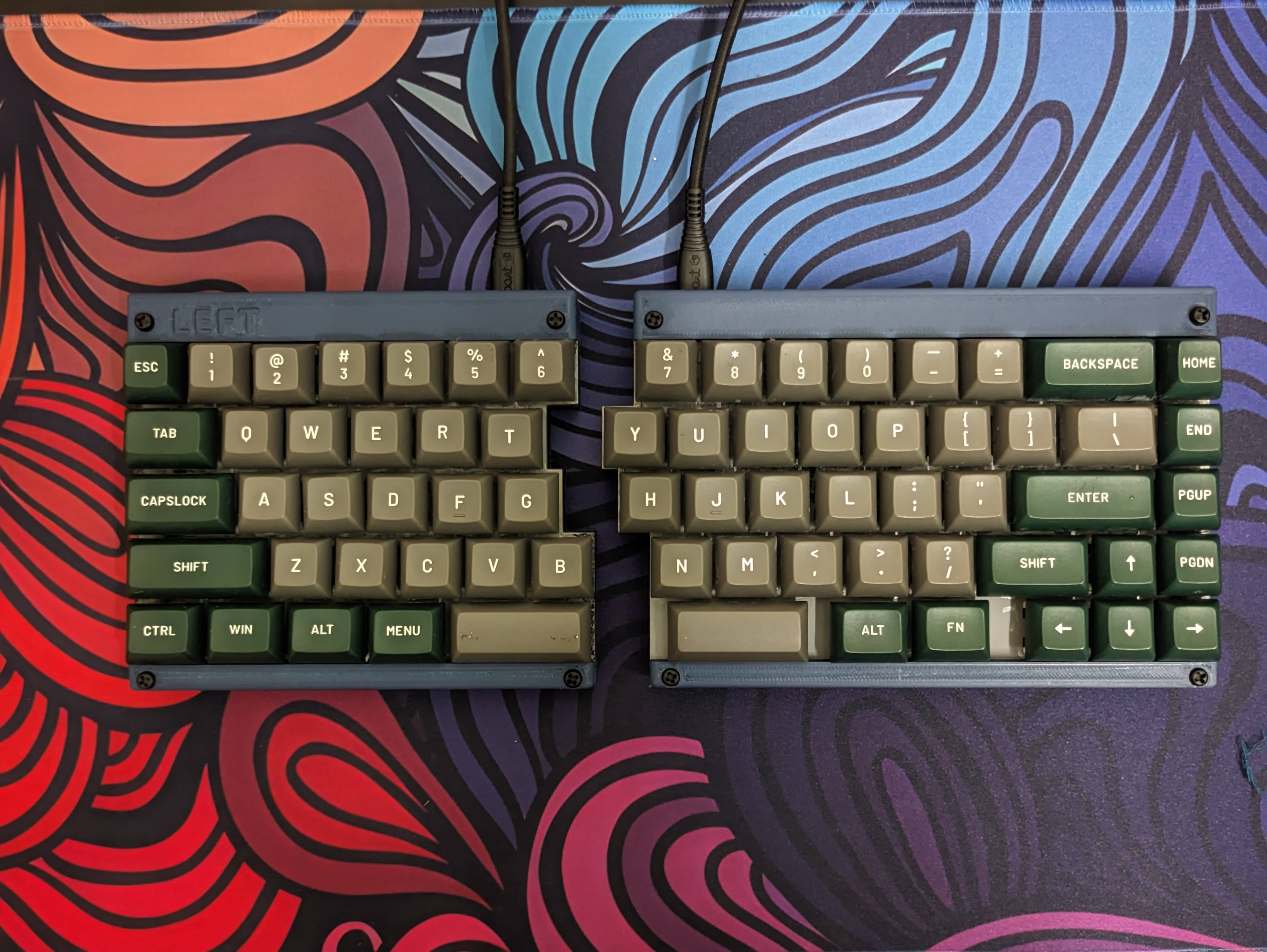 Whynot Right is the right half of a split mechanical keyboard featuring a TS65 design. It has 65 keys in total and was meticulously handwired. The keyboard case, designed by Fardog, includes a laser-cut MDF plate, with the base and top sections crafted using 3D printing.
- Keyboard Maintainer: akshay
- Hardware Supported: RP2040
- Hardware Availability: Robu.in
- Design: TS65 keyboard case by fardog
- Keycaps: Sikakeyb Doubleshot PBT keycaps
- Key Switches: GatreonG Pro 2.0 Switch
- Diode: IN4148
Make example for this keyboard (after setting up your build environment):
make whynot_r:default
Flashing example for this keyboard:
make whynot_r:default:flash
See the build environment setup and the make instructions for more information. Brand new to QMK? Start with our Complete Newbs Guide.
Bootloader
Enter the bootloader in 3 ways:
- Bootmagic reset: Hold down the key at (0,0) in the matrix (usually the top left key or Escape) and plug in the keyboard
- Physical reset button: Briefly press the button on the back of the PCB - some may have pads you must short instead
- Keycode in layout: Press the key mapped to
QK_BOOTif it is available